
Service page

Zendesk integration services for support workflows that depend on clean system handoffs.

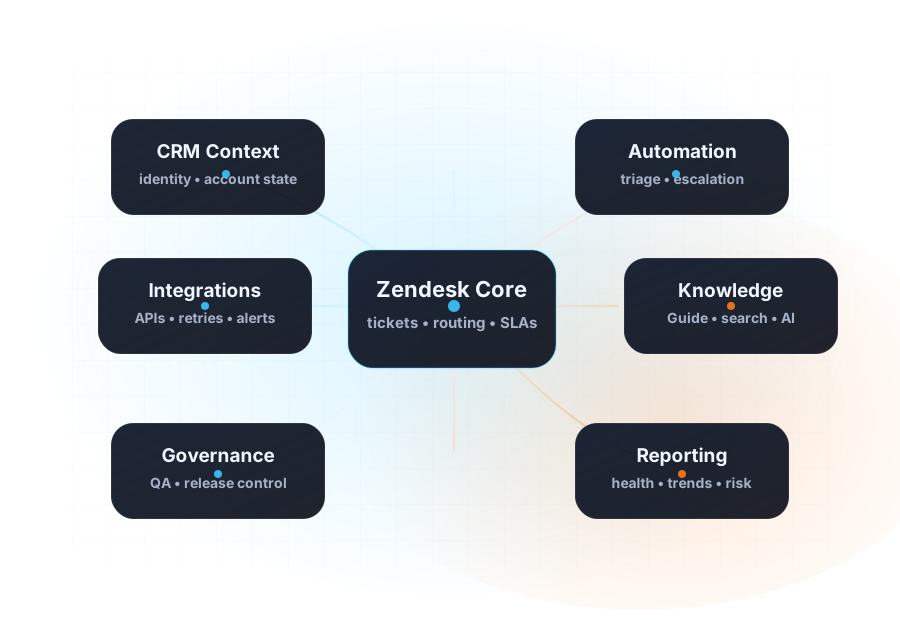
Connect Zendesk to CRM, finance, identity, analytics, and internal tools with explicit ownership, safer data contracts, and a support-ready operating model.

API workflow designOwnership and retry logicSupport-safe observability

What this engagement deliversZendesk integration services

Integration output

System map and data contract review

CRM Scene clarifies which systems own what, which events matter, and how support should depend on that data.

Reliability output

Retries, alerts, and failure handling

Integration work accounts for retries, degraded states, and the operational playbooks teams need when data sync breaks.

Operator output

Support-ready runbooks

Delivery includes the language and operational notes support teams need—not just technical diagrams for engineers.

Who it is forWhen this service is the right next move.

Best fit for teams with fragile handoffs

  • Agents depend on customer or financial context that does not arrive reliably in Zendesk
  • Integrations exist but ownership is unclear when failures happen
  • Support, operations, and engineering need shared rules for sync behavior and exception handling

What CRM Scene typically covers

  • Inbound and outbound data flows tied to support use cases
  • API and webhook patterns, retries, dead-letter handling, and alerts
  • Ownership boundaries for apps, services, and support escalation
  • Documentation that explains both the technical logic and the operator implications

What better integration design changes

  • Fewer blind spots in support handling
  • Cleaner escalation when external state is missing or stale
  • More reliable routing and automation
  • Stronger coordination between support owners and technical teams
Sensitive client details stay private, but the scope, delivery logic, and operating model are described here as clearly as possible.

Engagement flowHow the work usually progresses.

01

Map the critical support dependencies

Identify what data support needs, where it comes from, and what breaks when those handoffs are unreliable.

02

Design the integration behavior

Define contracts, sync logic, retries, observability, and ownership so the workflow is explicit before build changes ship.

03

Implement and test

Stage the changes, test edge cases, and confirm support-safe behavior in both success and failure scenarios.

04

Operationalize the workflow

Document escalation paths, alerts, monitoring expectations, and the language teams will use when incidents occur.

Related pagesRelated pages to review next.

Related scope

Automation services

Use automation work to turn clean data flows into better routing, escalations, and case handling.

Open automation page →
Related scope

Governance and QA

Add release discipline and change control so system integrations do not drift after launch.

Open governance page →
Proof

Integration layer case study

Review a sanitized case example focused on ownership, observability, and support-safe runbooks.

Open case study →

FAQQuestions we usually answer before kickoff.

CRM Scene can support the architecture, workflow design, and delivery framing for direct build work, often alongside engineering teams or implementation partners.
Common integrations involve CRM, billing, payments, identity, analytics, data warehouses, help centers, and internal operations tooling.
Yes. Good integration work is staged carefully and tied to business-critical workflows so support does not lose visibility during the transition.
A strong next step is to review the fintech operations case study, automation services, and governance page because integration quality is tightly linked to workflow logic and release control.