CRM
Implementation
Zendesk CRM implementation
See how integration design fits into a governed Zendesk build, migration, QA, training, and launch plan.
Open Zendesk CRM implementation →Most integration problems in support are not caused by the API client alone. They are caused by unclear ownership, missing retry logic, weak observability, and workflows that fail noisily when a connected system changes state.
Published for support leaders, operators, and admins evaluating support-system upgrades.
Reviewed for delivery realism, operational risk, and search-language clarity before publication.
Use this guide to clarify scope, identify hidden risk, and plan a cleaner next step before implementation.
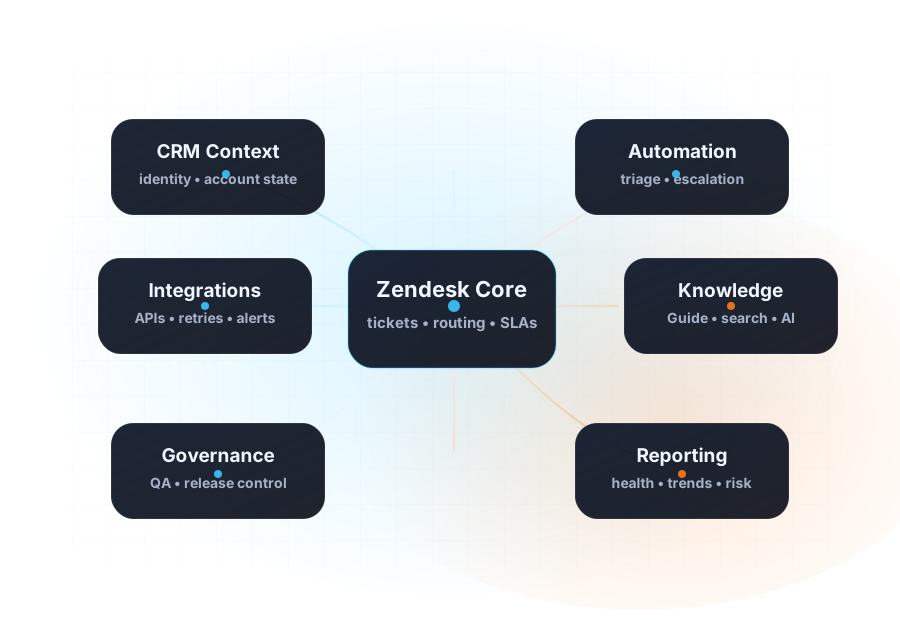
A Zendesk integration only becomes useful when the team can explain what data moves, when it moves, which system owns the truth, and how the workflow should fail when dependencies are unavailable.
That means integration architecture is partly technical and partly operational. The right design has to account for retries, alerts, manual fallback paths, and support-team visibility—not just transport success.
Teams often connect Zendesk to a finance, identity, or operations system before deciding who owns field definitions, edge cases, and version changes. The integration appears live, but the workflow is fragile.
A retry mechanism is not enough when the receiving workflow has side effects. Teams need explicit idempotency, timeout handling, and safe duplicate prevention.
When an upstream system misbehaves, support teams still need a manual route, a safe customer message, and a way to see whether the failure is local or external.
Clarify which lifecycle events matter operationally: verification, billing, risk, identity, shipment, cancellation, or entitlement.
Define which system owns each status, what the acceptable delay is, and who triages discrepancies when systems disagree.
Log failures in a way support and ops can actually interpret. Create safe manual paths for high-stakes cases.
Treat connected workflows like production changes with QA, rollback logic, and clear communication when behavior changes.
Take the free five-minute assessment to score integration ownership, source-of-truth clarity, handoffs, governance, measurement, knowledge, and AgentOps.
See how integration design fits into a governed Zendesk build, migration, QA, training, and launch plan.
Open Zendesk CRM implementation →See how CRM Scene scopes API design, ownership, runbooks, and connected workflow delivery.
Open integration services →Read how this architecture shows up in a real public case example.
Open integration case →Use a practical checklist for contract ownership, monitoring, and escalation paths.
Open playbook →