
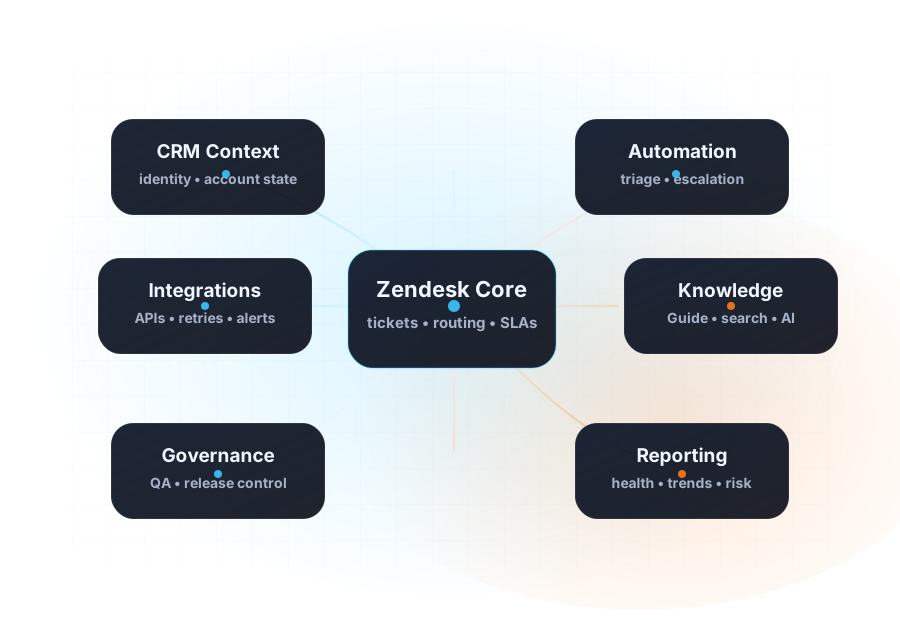
FuseDesk migration path

FuseDesk to Zendesk migration with export evidence, dry-run gates, and reconciliation.

CRM Scene turns FuseDesk migration into a controlled Zendesk release path: exporter evidence, field and identity mapping, staged ticket import planning, interim sync, and launch support.

FuseDesk exporter evidenceZendesk import rehearsalPost-snapshot sync planning

Why this path existsFuseDesk migration needs more than a blind importer.

The path turns the FuseDesk export package into a staged Zendesk import universe, then checks fields, users, tickets, comments, attachments, source IDs, and reconciliation before live execution.

Fields

Field metadata captured

The demo setup shows Zendesk fields matched before import planning, so payloads are tied to the right destination structure.

People

User candidates mapped

Requester, assignee, organization, identity, CC, and follower logic is reviewed before ticket import waves are approved.

Tickets

Ticket universe staged

FuseDesk cases move through import planning as a controlled universe, not as an invisible one-shot push.

Runtime

Failed records visible

Runtime maps and review outputs show what passed, what failed, and what needs operator attention.
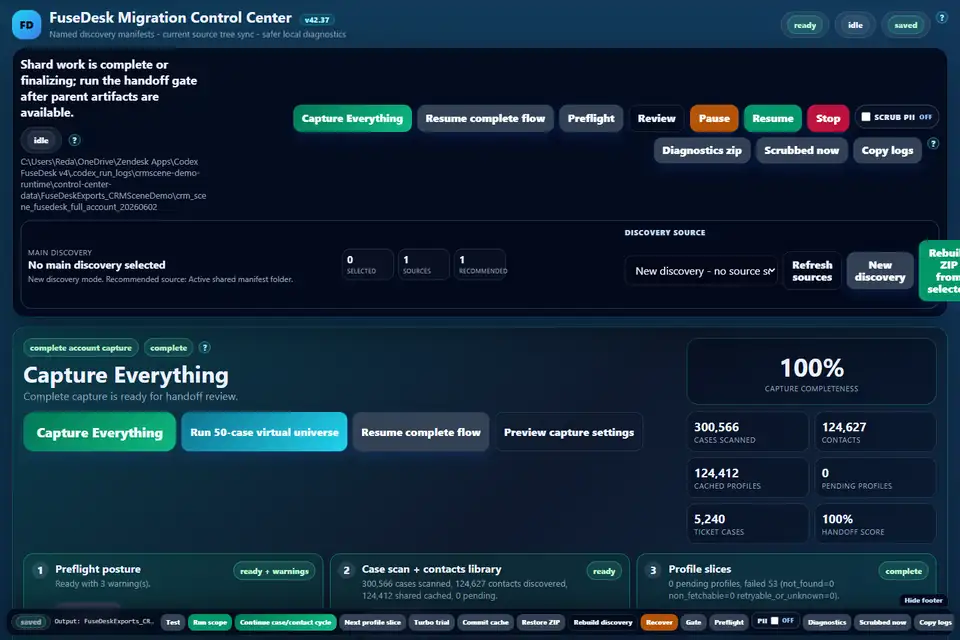
Actual app screenshotExporter evidence makes the source posture visible.

FuseDesk Migration Control Center exporter demo screenshot
FuseDesk exporter control center with seeded CRM Scene demo data for contact-library coverage, ticket shard status, and handoff readiness.
Exporter role

Most migration risk is discovered before import.

The exporter lane confirms what exists in FuseDesk, what is ready for Zendesk, what needs review, and which source IDs need to remain traceable.

Source review
Case scope, contact profiles, identities, attachments, author evidence, and source references.
Migration evidence
Manifests, ledgers, review queues, readiness checks, and operator handoff notes.
Next decision
Whether the Zendesk destination can safely receive the planned import waves.

Migration controlsZendesk writes are gated by metadata, mapping, and review controls.

Setup

Zendesk metadata capture

Capture fields, groups, brands, roles, and account metadata so imported records target the right destination configuration.

Identity

User and organization mapping

Resolve people, agents, requesters, assignees, organizations, memberships, identities, CCs, and followers.

Tickets

Controlled import waves

Move tickets, comments, private notes, attachments, solved dates, tags, and source references with reconciliation output.

Actual app screenshotThe importer makes live-write readiness visible.

Import universe

Plan before production writes.

CRM Scene can use the importer as a migration control surface: connect Zendesk, capture fields, select the import universe, build the plan, and see what is ready or blocked.
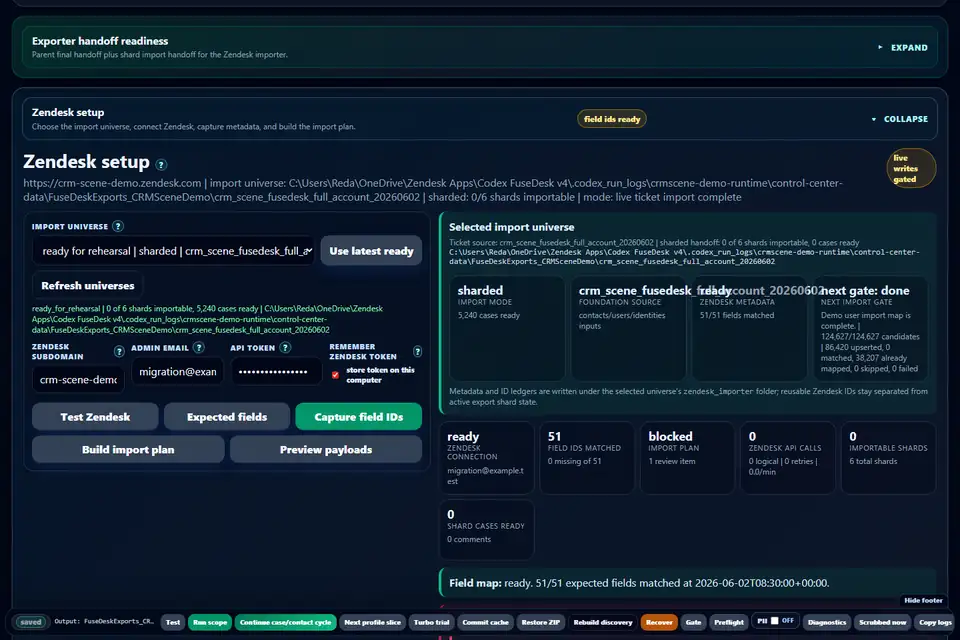
  • Zendesk connection, field IDs, group and brand lookups, and current-user checks.
  • User import maps, ticket ID maps, shard readiness, and import-stage summaries.
  • Review items and blocker counts before live user or ticket execution.
FuseDesk to Zendesk importer demo screenshot
Zendesk setup, import universe selection, field map, and next gate.

Cutover windowInterim sync covers late FuseDesk activity.

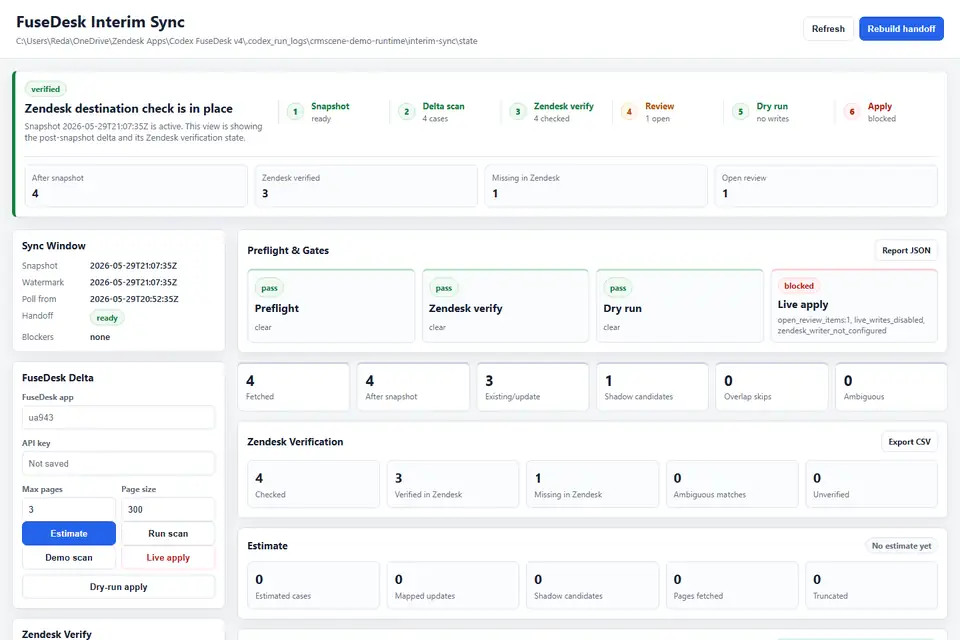
FuseDesk interim sync demo screenshot
Interim sync view with demo post-snapshot cases and Zendesk verification checks.
Post-snapshot activity

Late activity should not vanish.

When FuseDesk keeps receiving activity after the migration snapshot, the interim sync app compares post-snapshot deltas against Zendesk, identifies missing or existing tickets, and dry-runs safe update actions.

Snapshot
Locks the migration source point and next poll time.
Zendesk verify
Checks whether changed FuseDesk cases already exist in Zendesk.
Dry run
Plans private notes or review items before enabling live writes.

Release pathSell the migration as a controlled release.

01

Readiness review

Review FuseDesk export evidence, Zendesk destination state, required fields, routing, and import blockers.

02

Rehearsal

Build payloads, capture metadata, dry-run decisions, map identities, and confirm source-to-destination references.

03

Live migration

Run users and tickets in controlled stages with explicit gates, runtime monitoring, and operator review.

04

Reconcile and sync

Deliver ID maps, reconciliation reports, review queues, and interim sync support for late FuseDesk updates.

Related servicesPages that support the FuseDesk migration path.

Parent

Zendesk migration services

See the full migration service model around evidence, mapping, cutover, and post-launch stabilization.

Open migrations service ->
Build

Zendesk implementation

Use implementation scope when the destination Zendesk environment needs broader setup or rebuild work.

Open implementation scope ->
Control

Governance and QA

Add release gates, ownership, acceptance criteria, and change control to reduce production risk.

Open governance scope ->

FAQQuestions we usually answer before FuseDesk kickoff.

The migration path is designed to preserve usable support context by planning cases, comments, private notes, attachments, source IDs, users, organizations, and reconciliation output before live Zendesk writes.
Export evidence shows what exists, what is import-ready, which identities need review, which attachments need handling, and what the Zendesk destination must support before cutover.
Yes. The FuseDesk path includes interim sync planning so post-snapshot activity can be reviewed against Zendesk before final update actions are approved.
No. CRM Scene positions this as a controlled migration service with app-assisted evidence, dry-run gates, review items, and operator handoff.